Note · claude-code
I stopped pasting API keys into my AI agent's chat
Every key you paste into an AI agent's chat goes back to the model with each message after it. I built a small plugin that hands the agent a key without the conversation ever seeing it.
It happens in the middle of something going well. The agent has wired up the new service, the tests are green, and then it stops: "Paste your OpenAI API key here and I will add it to .env."
So you paste it. And now that key is part of the conversation. It sits in the transcript on disk, and it rides along with every message the agent sends to the model for the rest of the session. If the session is logged or traced anywhere, it is there too.
I did this more times than I would like to admit, and had to revoke the keys multiple times. So I built a small mod for Claude Code that gives the agent another way to ask.
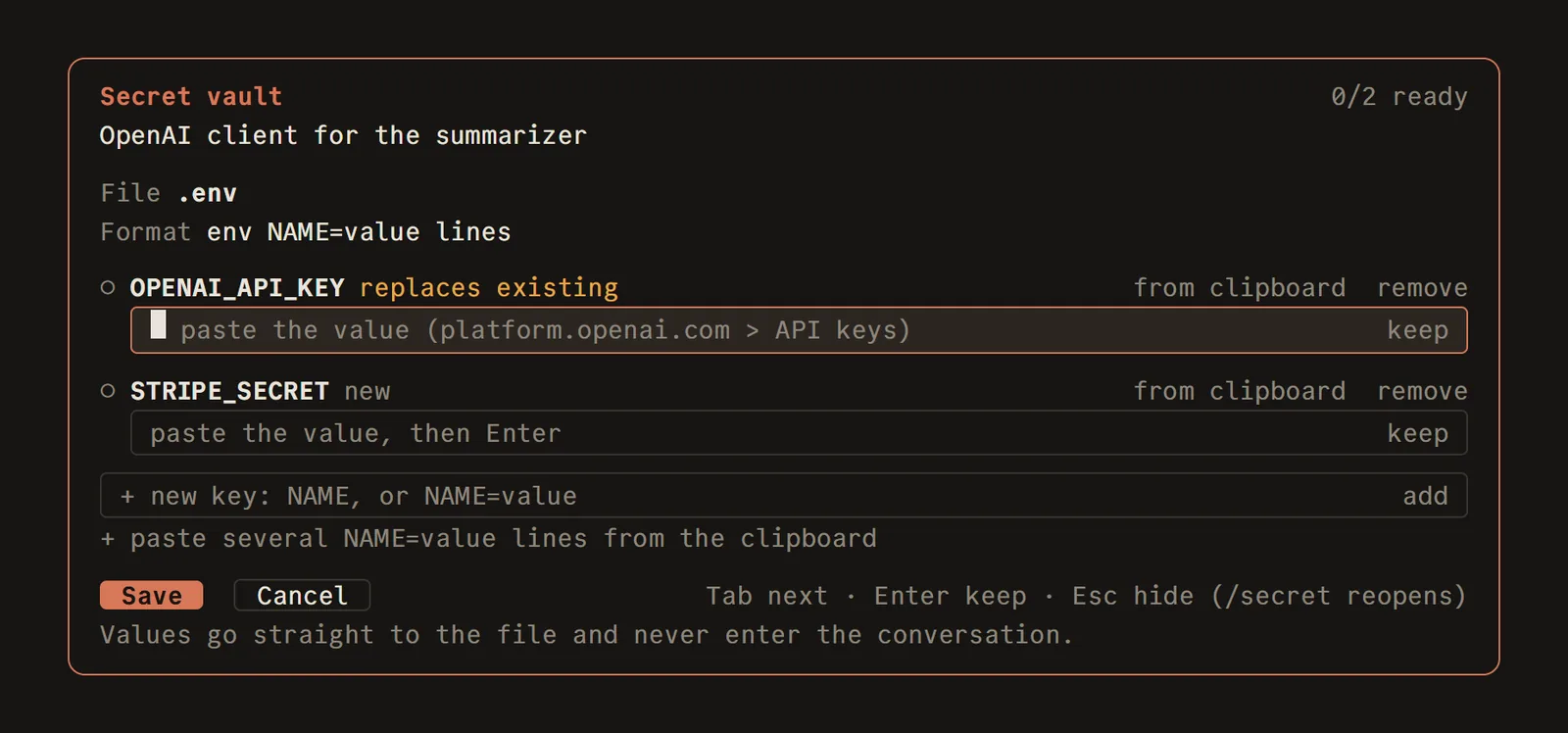
The agent asks, a window opens next to the prompt, and the key goes in there.
A window the conversation cannot see
Now, when the agent needs a key, it does not ask in the chat. It opens a small window next to the prompt, says which keys it needs and what they are for, and waits.
I paste the key there. The plugin writes it straight into the file it belongs in, usually .env, and closes. The agent gets one short message back: the names of the keys that were saved. Never the values.
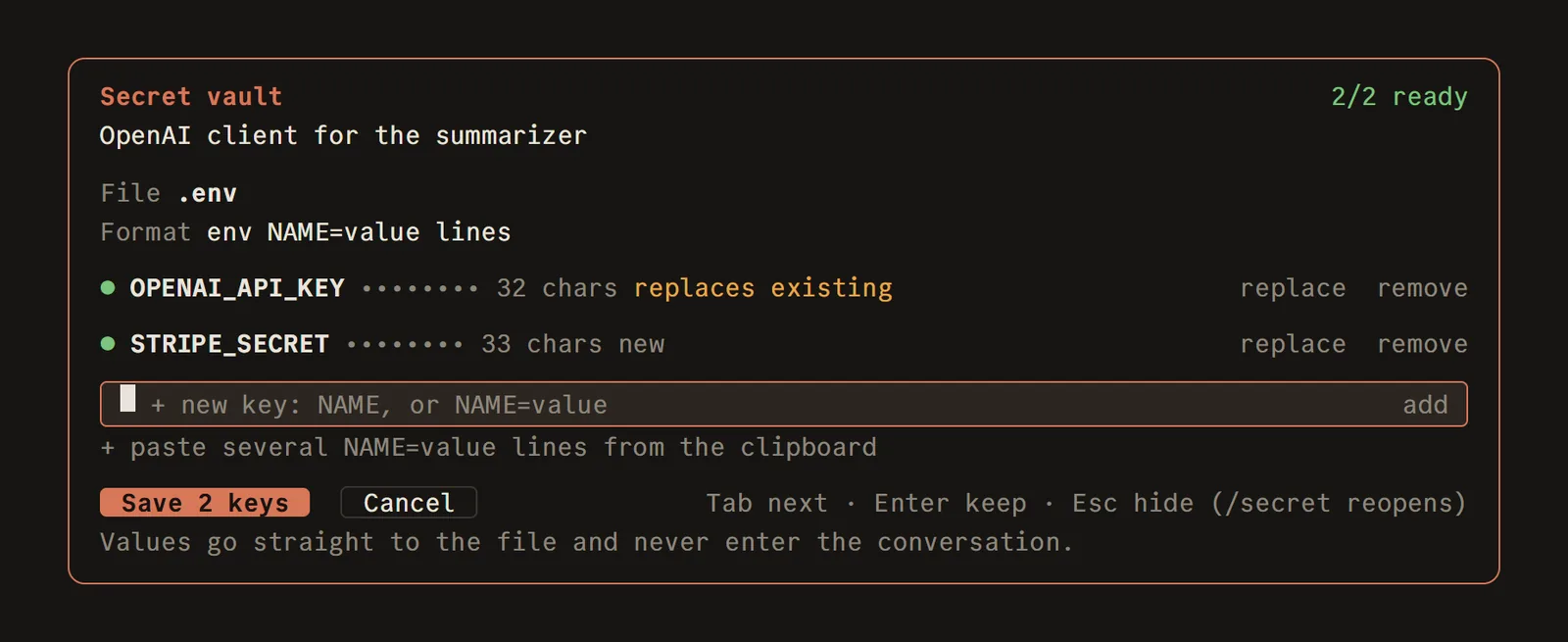
Both keys are in. The window shows dots and a length, never the key itself.
It sounds like a small thing. In practice it changes the rhythm of the work: the agent keeps going, and the key never once shows up in the chat.
The file changes, the chat does not
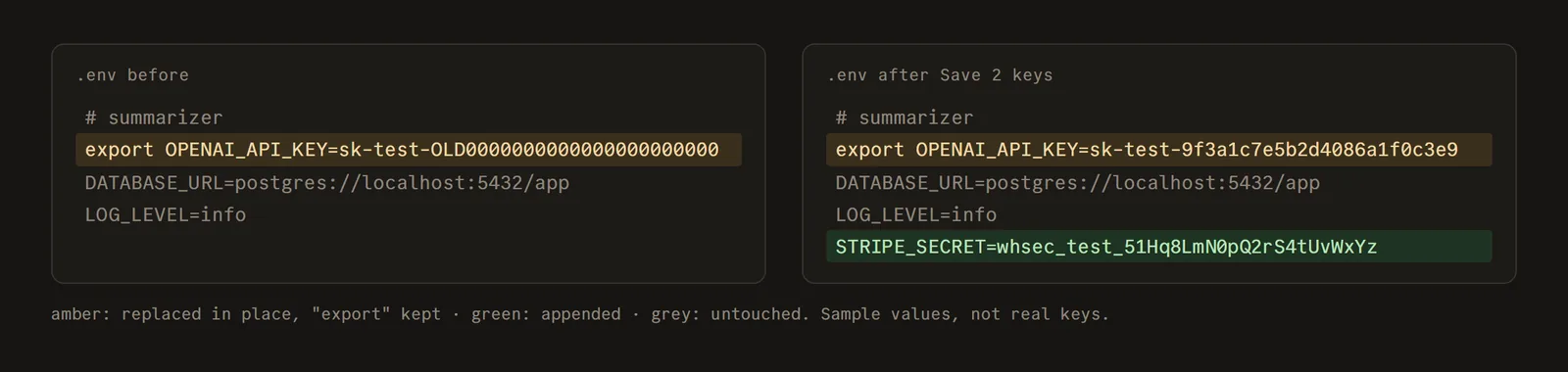
The .env before and after. Existing lines stay where they were, new keys go at the end. (Sample values.)
The file gets the real value. If the key already existed, its line is updated in place. If it is new, it is added at the end. Everything else in the file is left alone.
What if the agent reads the file later?
This was the part I did not see coming. Keeping the key out of the chat is easy. Keeping it out two steps later, when the agent runs cat .env and the file's content lands back in the conversation, is harder.
So the mod also watches everything that enters the session. Any key it saved shows up to the agent only as a label with its name. It also recognizes the shape of common keys (OpenAI, GitHub, AWS, Slack, Google and a few others), even ones that never went through the window.
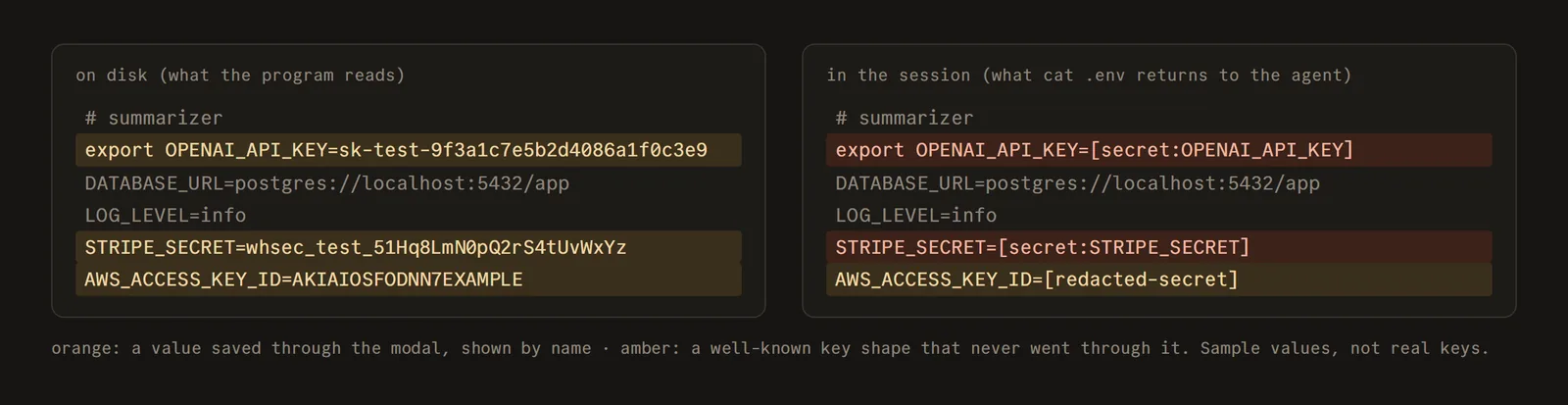
Left, the file on disk. Right, what the agent sees when it reads that same file.
The program that uses the key reads the real file. The agent only ever sees the names.
The surprise: the agent cannot wait for me
I assumed the agent would ask, wait for me to paste, and carry on. It cannot. A plugin gets a few seconds to answer, and a person pasting a key takes longer than that.
So the agent asks and then stops. When I press Save, the plugin itself sends a short message that wakes the agent up, and it continues as if it had waited. From my side it feels like one step. Under the hood it is two.
What I changed after an afternoon of using it
My first version opened the window with a command that listed the key names. Testing it, I noticed that even the names ended up in the chat. A small leak, but a leak. Now the command only takes the file, and everything else happens inside the window.
The window cannot hide what you type the way a password field does. So there is a button that reads the key from the clipboard and fills it in without ever showing it. Another button takes a whole block of copied keys and fills them all at once.
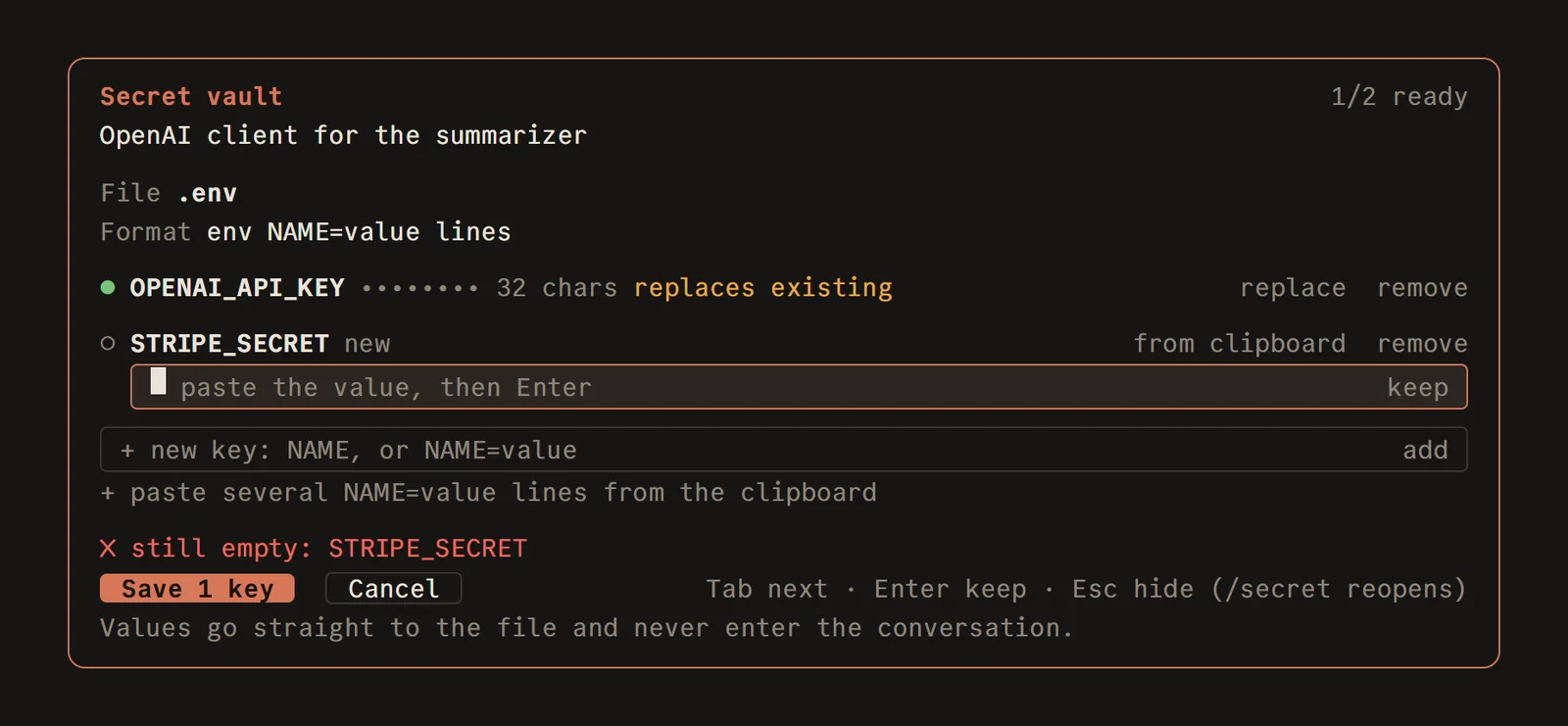
Press Save with a key still empty and the window tells you which one is missing.
What it does not protect
It protects the conversation. If something else records everything the agent does, like a tracing tool, that is outside its reach. And it runs on a plugin system that is still new, so things may move.
The code is open source on GitHub: github.com/gcamara/secret-vault. If you use Claude Code, installing it is one line:
/plugin install secret-vault --marketplace gcamara/secret-vaultI am curious how other people handle this. When your agent needs a secret, where do you put it?
Something to add, or a part you disagree with? Write back.
Reply by email