Note · ai-agents
My quality gate got a mission control
I rebuilt the Quality Gate dashboard around one idea: every answer should be a click away from where I'm looking. Side panels for anything you click, a run page that assembles live, a Ctrl/⌘+K palette, and a background that knows when a run is going.
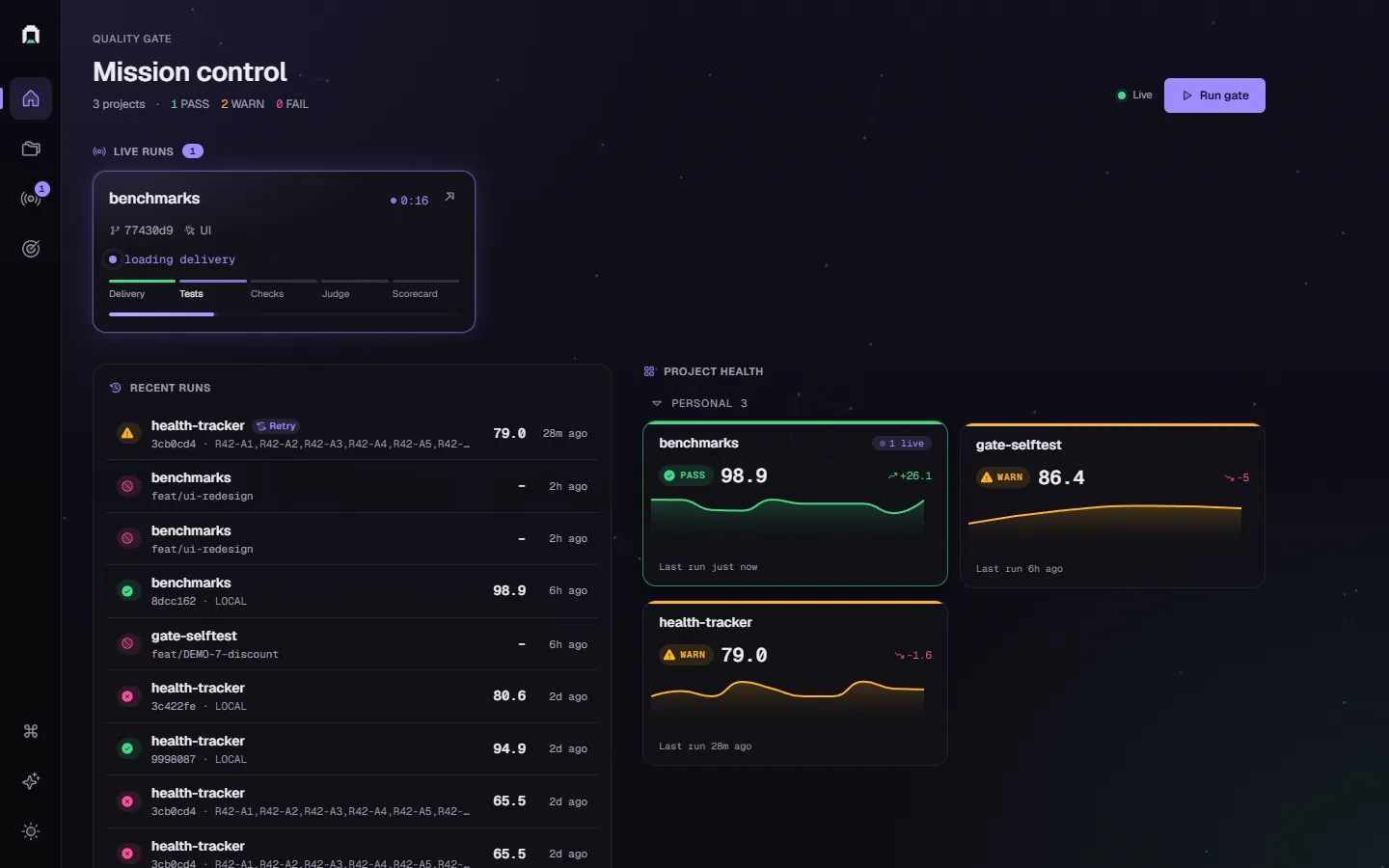
The first dashboard I built for my quality gate did its job. It listed projects, listed runs, and showed a run moving through the pipeline. Then I started opening it every day, and every question meant a few clicks and a page load.
Why did this check score 30? Open the run, scroll, find the check, expand it. Is health-tracker getting better or worse? Open the project, switch tabs, squint at a chart. Is anything running right now? Refresh.
So I rebuilt it. 480 files changed in the main commit, about 23,500 lines in and 12,200 out, and Chart.js is gone. I've been calling the new layout "mission control", because I wanted something I can glance at and understand without clicking around.
Click anything, get a summary
If I could keep only one change, it'd be this one.

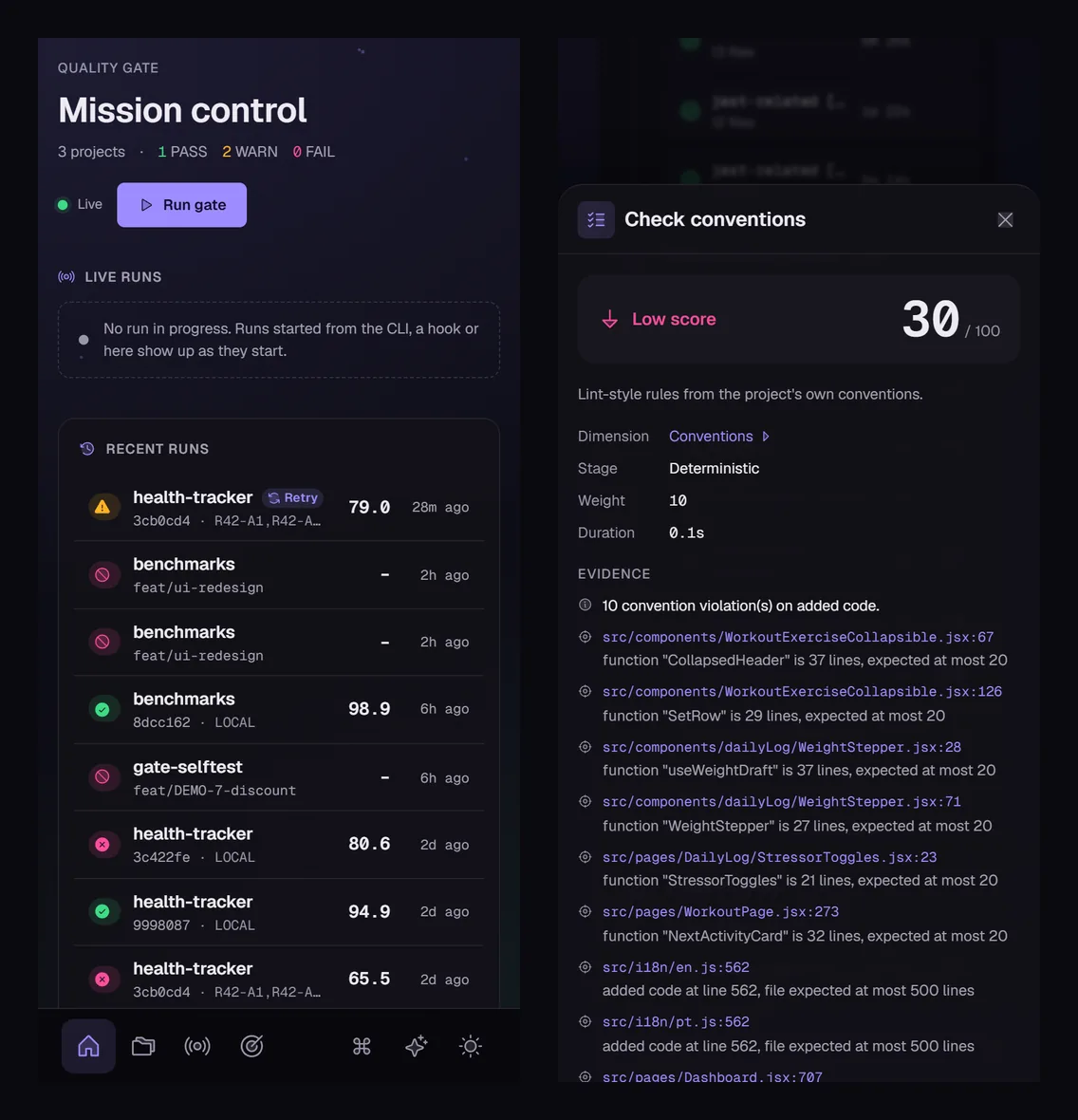
Every check, dimension, blocker, test, run and project opens a side panel with a summary of what you clicked. You stay on the page. The panel slides in from the right and has its own back stack (check, then its dimension, then back). Its state lives in the URL, so I can paste a link to "this check on this run" and it opens exactly that. On a phone it becomes a bottom sheet.
The reason is boring. Most of my questions are "why", and "why" is a summary plus the evidence. In the clip, the conventions check scored 30 because ten functions and files on that delivery went past their limits, and I got there in two clicks without leaving the run.
Home shows what's happening now


Home has three things, top to bottom: what's running, what just finished, and how each project is doing. A run started from the CLI, a hook or the dashboard itself shows up as a card with its stage (delivery, tests, checks, judge, scorecard) and a timer. Below it is the recent runs feed, and next to that one health tile per project with its last verdict, score, sparkline and the change against the runs before it.
Behind all of it there's a faint constellation drawn on a canvas. While a run is live the lines lean toward the accent colour and the points drift 1.5× faster; when nothing's running it settles down. It's capped at 30 fps, starts after the first paint, freezes in hidden tabs and isn't rendered at all under reduced motion. I measured text contrast at the brightest spot behind it before keeping it.
It isn't necessary. I look at this screen every day, though, and I like knowing something's running without reading a word.
The run page builds itself

The run page is a timeline of steps that fills in as events arrive over SSE: delivery loaded, test commands, each deterministic check, the judge calls, the scorecard. The score ring counts up as dimensions come in and says "partial · 3/8 dimensions" until the run ends.
That clip is the gate scoring its own redesign with deterministic checks only, no judge. It failed with 74.7 and a score-regression blocker, because that's 17 points under the median of the last 10 runs. Without the judge, requirement coverage and PR fidelity can't be scored, and verification sat at 40. I left that run in the clip on purpose, since it's what the gate actually said.
Charts you can click
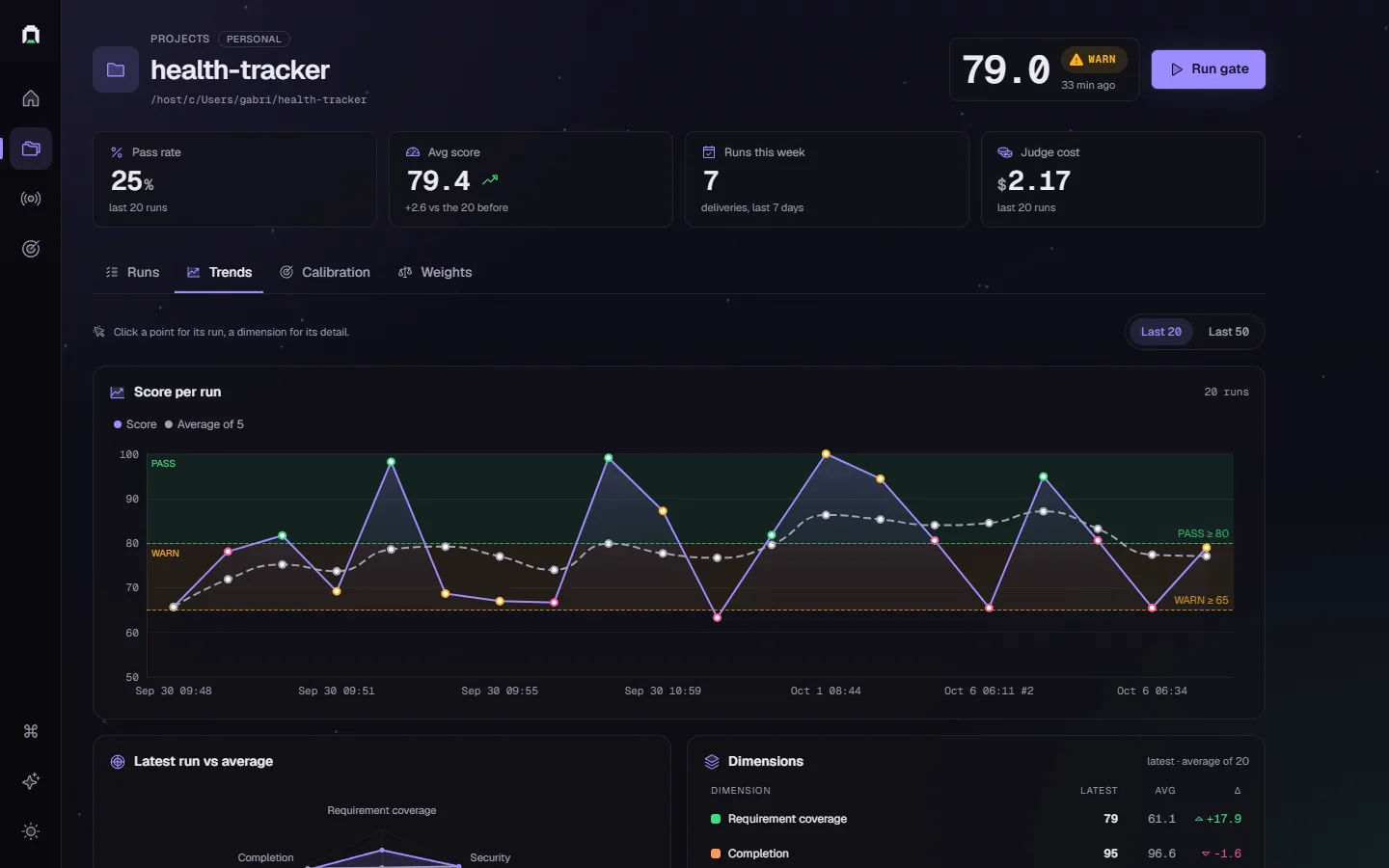
Each project now has a hub with four tabs: Runs, Trends, Calibration and Weights. The charts moved to Apache ECharts behind a small port the app owns, so no component imports the library directly. Score charts draw the PASS and WARN bands behind the line, which makes a run under 65 look wrong before you read the axis. Click a point and you get that run's panel.
Ctrl/⌘+K
A command palette with fuzzy search over projects, runs and tabs, plus actions like "Run gate on health-tracker" or "Switch to light theme". I use it more than the icon rail now.
Light, and a phone
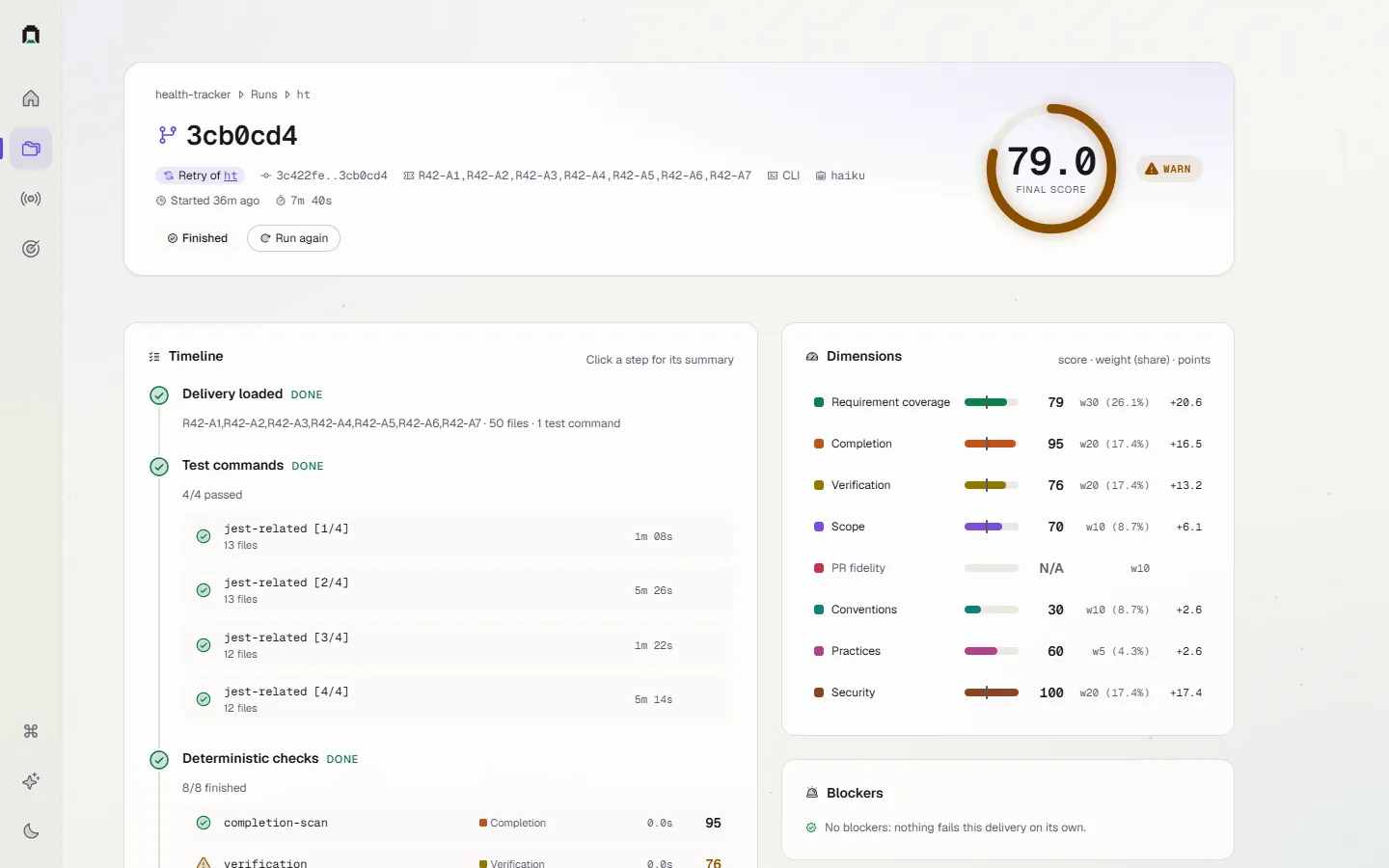
Dark is the default. Light is a full second theme with its own status colours, and failure is magenta in both. No status is shown by colour alone: there's always an icon and a label next to the tint.
Under the hood
Three things shipped with the redesign that you can't see in a screenshot.
Retry first. A run that failed on a flaky test can re-run only its failed steps. Tests that passed are replayed from the earlier run's events, every check is scored again, and the judge's answer cache reuses the answers that were already good. The run header says "Retry of" and links back to the original.
Then ESLint, for practices and conventions. A finding counts only when the delivery added that line, or pushed a function, class or file past its limit. I don't want to charge an agent for code it didn't touch. Where ESLint linted a file, the regex rules that overlap with it step aside, so nothing gets charged twice.
And Claude Haiku 5.5 is now the default judge. The health-tracker retry in these screenshots reused its parent run's older Haiku judge; its nine judge calls across three dimensions cost $0.75.
What I'd tell myself before starting
The redesign added very little information. Almost everything on these screens was already in the old dashboard somewhere; I just had to dig for it. Most of the work went into putting each answer one click from the screen where the question comes up.
If you've built an internal tool you open every day, I'm curious what you'd cut first here: the side panels, the palette or the background. I keep going back and forth on the background.
Something to add, or a part you disagree with? Write back.
Reply by email